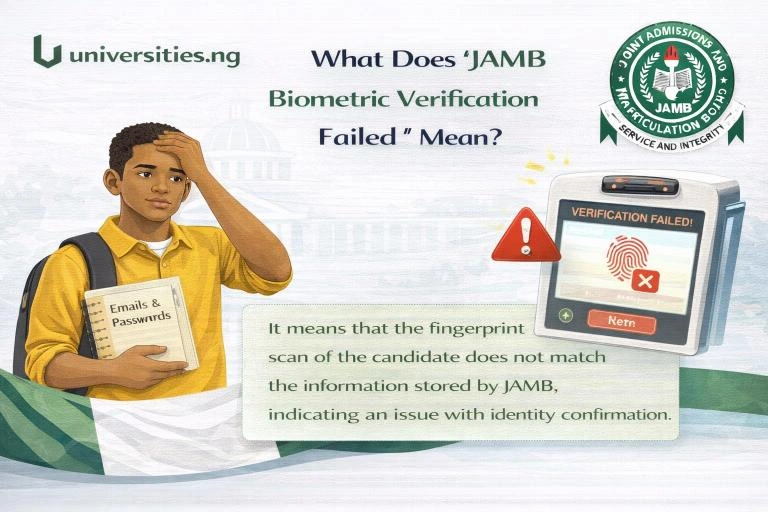
When you see “JAMB biometric verification failed”, it means JAMB could not confirm your fingerprints or facial data during registration, exam verification, or admission processing. This is a technical and identity issue, not an automatic disqualification. It must be fixed before you can proceed.
This problem is common during JAMB 2026 and affects UTME and Direct Entry candidates.
What Does “Biometric Verification Failed” Mean?
It means Joint Admissions and Matriculation Board could not successfully match:
- Your fingerprints, or
- Your facial capture
with the biometric data already stored in JAMB’s system.
Until this is resolved:
- Registration may be incomplete
- Exam access may be blocked
- Admission processing on CAPS may stop
When Does Biometric Verification Usually Fail?
Biometric failure can happen at different stages:
- During JAMB registration at CBT centre
- During UTME exam verification
- During Post-UTME or CAPS checks
- During admission approval
The meaning is the same in all cases: identity could not be confirmed.
Common Reasons JAMB Biometric Verification Fails
Poor Fingerprint Capture
This is the most common cause. It can happen due to:
- Wet or oily fingers
- Dirty fingers or scanner
- Injuries or worn fingerprints
Faulty Biometric Device
Some CBT centres use:
- Poor-quality fingerprint scanners
- Devices with calibration problems
This can cause repeated failure.
Inconsistent Biometric Records
If your biometrics:
- Were captured wrongly before
- Were captured multiple times inconsistently
JAMB may reject the match.
NIN and JAMB Biometric Mismatch
If your NIN biometric data does not match your JAMB biometric data, verification may fail.
Network or System Error
During peak periods, JAMB systems may delay or fail to verify biometrics temporarily.
What to Do If JAMB Biometric Verification Failed
Step 1: Retry Biometric Capture Immediately
At the CBT centre:
- Clean and dry your fingers
- Relax your hands
- Retry fingerprint capture
Many failures are resolved at this stage.
Step 2: Request Device Change
If it keeps failing:
- Ask the CBT centre to use another fingerprint scanner
- Or try a different computer terminal
This often fixes the problem.
Step 3: Visit Another JAMB-Accredited CBT Centre
If failure continues:
- Go to a different accredited CBT centre
- Request biometric re-capture
Centre equipment quality varies.
Step 4: Fix NIN Biometric Issues (If Required)
If advised:
- Visit a NIMC office
- Revalidate or recapture your biometrics
- Wait for confirmation before retrying JAMB
This is important if there is a mismatch.
Step 5: Follow JAMB Instructions Strictly
In some cases:
- JAMB may reschedule biometric verification
- Or direct you to a specific centre
Always follow official instructions.
What NOT to Do
- Do not attempt registration multiple times
- Do not use another person’s biometrics
- Do not pay agents claiming “manual bypass”
- Do not panic or abandon the process
These actions can lead to permanent disqualification.
Does Biometric Failure Mean I Am Disqualified?
No.
Biometric failure does not mean disqualification.
It only means:
- Your identity could not be confirmed yet
- You must correct the issue before proceeding
Thousands of candidates fix this every year.
How to Know the Problem Is Fixed
The issue is resolved when:
- Fingerprint or facial capture is successful
- Registration or exam verification proceeds
- No biometric error message appears
At that point, you can continue normally.
Frequently Asked Questions
Can biometric failure stop me from writing JAMB?
Yes, if not fixed before exam day.
Can CBT centre fix biometric failure?
Yes, in many cases by re-capture or device change.
Does biometric failure affect admission?
Yes, if unresolved, it can block JAMB CAPS approval.
Is biometric failure common?
Yes, especially during peak registration periods.
Conclusion
“JAMB biometric verification failed” means your identity could not be confirmed due to fingerprint, device, or data issues. It is not a rejection, but it must be fixed quickly.
Retry biometric capture, change CBT centres if needed, correct NIN biometric issues, and follow official guidance. Fixing this early protects your JAMB 2026 registration, exam, and admission process.