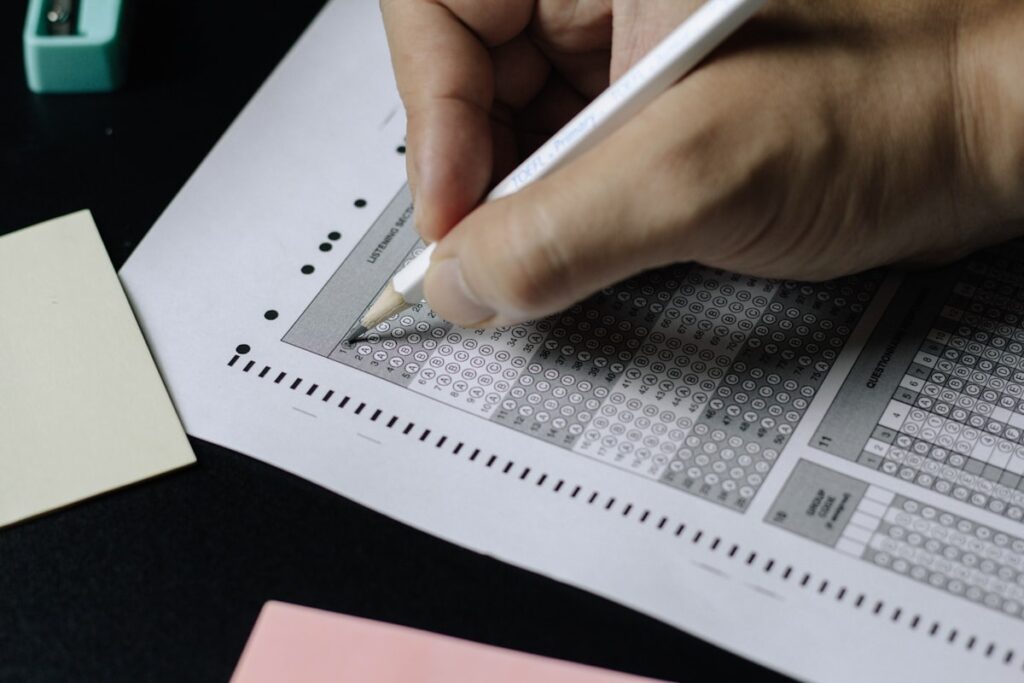
Knowing how to check your JAMB result 2026 is essential for every UTME candidate. JAMB results are released online through the official JAMB portal and are also accessible via SMS and the USSD code system. In this step-by-step guide, we walk you through every method available for checking your JAMB/UTME 2026 result, what to do if your result is withheld or delayed, how to interpret your score and percentile, and what your result means for your chances of admission to Nigerian universities.
When Are JAMB Results Released in 2026?
JAMB typically releases UTME results within 24–48 hours of each candidate’s examination date, though in some sessions the full batch results are published together. In 2025, results were released in batches, with most candidates receiving their results within 24 hours of sitting the exam. For the 2026/2027 academic session, candidates should expect the same pattern — check the JAMB official website (jamb.gov.ng) and your registered email for notifications. JAMB may also make a formal public announcement through press releases when the main batch of results is published.
Method 1: Check JAMB Result on the Official JAMB Website
The most reliable method for checking your JAMB 2026 result is through the official JAMB portal at jamb.gov.ng. This is the primary and most comprehensive method — your full result slip, subject scores, aggregate score, and percentile are all visible here.
- Open your browser and go to jamb.gov.ng
- Click on “Check UTME/DE Results” from the menu or homepage banner
- Enter your JAMB Registration Number (the 10-digit number on your exam slip)
- Enter your date of birth (DD/MM/YYYY format)
- Complete the CAPTCHA verification and click “Check Result”
- Your result will display showing your total score and individual subject scores. Print or screenshot this page for your records.
Method 2: Check JAMB Result via SMS
You can also check your JAMB 2026 result by SMS without internet access. Send an SMS in the following format to 55019: RESULT followed by a space and your JAMB Registration Number. For example: RESULT 1234567890. Send this SMS from the phone number you registered with JAMB during your registration. The SMS service is charged at your network’s standard rate (typically NGN 50 per SMS). Your result will be sent back to you as a return SMS within a few minutes, showing your total aggregate score. Note that the SMS method does not show individual subject scores — it only returns your total JAMB score.
Method 3: Check JAMB Result via USSD Code
JAMB also provides a USSD code for checking results without internet access. Dial *55019*REGISTRATIONNUMBER# from your registered phone number. For example: *55019*1234567890#. Follow the prompts that appear on your screen. This method works on all Nigerian mobile networks (MTN, Airtel, Glo, 9mobile) and is useful when internet connectivity is poor. The USSD method charges a small fee (NGN 10–50) deducted from your airtime.
Understanding Your JAMB Score: What the Numbers Mean
The JAMB/UTME exam is scored out of 400 marks (4 subjects × 100 marks each). Each correct answer earns marks, while wrong answers in the CBT (Computer-Based Test) format receive no negative marking since the 2018 change in JAMB policy. Your aggregate score is the sum of your four subject scores. Understanding where your score falls in the competitive landscape is critical for knowing which universities and courses you can realistically target.
JAMB Score Range | Competitive Level | Courses/Universities Accessible |
|---|---|---|
300–400 | Excellent | Highly competitive courses (Medicine, Law at UNILAG, UI, OAU) at top federal universities |
250–299 | Very Good | Most federal university programmes; competitive state universities |
200–249 | Good | Most federal and state universities for non-medicine courses; private universities |
180–199 | Average | Some state universities, private universities, polytechnics |
160–179 | Below Average | Polytechnics, Colleges of Education, some private universities |
Below 160 | Low | Not eligible for most universities; consider resitting UTME |
What to Do if Your JAMB Result Is Withheld
A “withheld” result means JAMB has flagged your examination for investigation — this most commonly happens when suspected malpractice has been detected, such as unusual performance patterns (scoring much higher than expected based on mock examination performance), biometric inconsistencies (fingerprints or photos that don’t match registration records), or reports from examination centre supervisors. If your result is withheld, you will see a message to this effect when you check online. Do not panic — not all withheld results indicate actual malpractice. Many are cleared after JAMB’s administrative review.
To address a withheld result: visit the JAMB state office nearest to you with your original examination registration slip, your National Identity Card or NIN slip, and any other identification documents. State your situation clearly and ask to speak with the malpractice unit. JAMB also provides an email address and hotline on their website for withheld result inquiries. Be persistent — follow up at intervals and keep records of all your interactions with JAMB offices. If your result is cleared, it will appear on the portal and your admission process can proceed normally.
JAMB Aggregate Score vs Post-UTME: What Really Determines Admission
A strong JAMB score alone is not sufficient for admission to most Nigerian federal universities — the Post-UTME screening score is equally or more important at many institutions. Each university applies a weighting formula that combines JAMB score, Post-UTME score, and O’Level grade points to produce a final admission aggregate. At the University of Lagos, for example, the admission aggregate formula weights JAMB at roughly 40% and Post-UTME at 60% of the final aggregate. At the University of Ibadan, both components carry significant weight. This means a candidate with 260 in JAMB and an outstanding Post-UTME performance can outrank a candidate with 290 in JAMB who performs poorly at Post-UTME. Never skip Post-UTME preparation, regardless of how well you scored in JAMB.
Frequently Asked Questions: Checking JAMB Result 2026
Can I check my JAMB result without my registration number?
No — your JAMB registration number is required for all result-checking methods. It is printed on your JAMB examination slip, which you must keep safely after your examination. If you have lost your registration slip and cannot remember your registration number, log into your JAMB profile at jamb.gov.ng with your email address and password — your registration number is displayed in your profile dashboard. Alternatively, visit a JAMB CBT centre with your government-issued ID and they may be able to assist with looking up your registration number.
How many times can I check my JAMB result?
You can check your JAMB result as many times as you wish on the official portal — there is no limit to how many times you can view your result online for free. The SMS and USSD methods incur a small charge per check, so use the online portal for repeated reference. It is advisable to print or screenshot your official result slip as soon as it is available and store it safely — you will need it during Post-UTME registration and university admission processing.
What is the JAMB cut-off mark for federal universities in 2026?
For the 2026/2027 academic session, JAMB’s general minimum cut-off mark for admission to federal universities is 160. However, individual universities and specific courses set their own higher thresholds. As referenced in our cut-off marks guide, competitive courses like Medicine require 250–280+ at most federal universities. The JAMB minimum of 160 merely qualifies you to apply — meeting a university’s specific cut-off for your course is what actually opens the door to Post-UTME screening.
Can I change my course after seeing my JAMB result?
Yes — JAMB allows a change of institution and/or course during the change of institution window, which opens after results are published. This is done through JAMB’s “Change of Course/Institution” portal on jamb.gov.ng for a fee (currently NGN 5,000 per change). If your JAMB score qualifies you for a different or more competitive course than the one you originally registered for, you can make this change. Note that changing your course may also require verifying that your JAMB subjects match the new course’s approved combination.
When does JAMB begin accepting Post-UTME form applications?
Post-UTME form release dates vary by university and are announced by each institution after JAMB publishes its full results and issues the admissions timetable. Most federal universities begin releasing Post-UTME forms 2–6 weeks after JAMB results are published. Monitor your target university’s official website and our school news section for Post-UTME form release announcements. Acting quickly is important — Post-UTME registration windows are typically short (2–4 weeks) and forms sell out fast at popular universities.
After Checking Your Result: Your Next Steps
Once you have your JAMB result, compare your score against the cut-off marks for your target university and course. If you qualify, immediately monitor the university’s website for Post-UTME form release. Begin preparing for the Post-UTME examination right away — do not wait until the form is released. Use our university-specific Post-UTME preparation guides available on this website, study past questions, and practice your time management under timed conditions. Your JAMB score is the key that opens the door; your Post-UTME performance is what actually secures your admission.
Downloading and Printing Your Official JAMB Result Slip
After checking your result on the JAMB portal, you should download and print your official result slip. The official slip is what universities use to verify your JAMB score during Post-UTME registration and direct entry screening. To download it: after your result appears on screen, look for a “Print Result” or “Download Result Slip” button on the results page. This generates a printable PDF of your full result including your name, registration number, photo, exam date, subject scores, and aggregate. Print two or three copies and store them in a safe place — you will submit one copy during Post-UTME registration, and you may need additional copies for direct institution admission processing and JAMB’s Central Admissions Processing System (CAPS).
If the print option is not immediately visible, try accessing your result from JAMB’s “Check Admission Status” or “Candidate Dashboard” section after logging into your JAMB profile with your email and password. The candidate dashboard also shows your admission status once a university processes your CAPS offer, so bookmark this section and check it regularly throughout the admissions season.
How Direct Entry (DE) Candidates Check Their JAMB Results
Direct Entry candidates take a separate JAMB/DE screening process and do not sit the standard UTME. DE results are typically published separately from UTME results on the JAMB portal. If you registered for Direct Entry to a Nigerian university through JAMB, check your DE status on jamb.gov.ng by navigating to the “DE Admission Status” section, entering your DE registration number and date of birth. DE results confirm whether your qualifications (A-Levels, IJMB, JUPEB, NCE, HND) have been verified and accepted for the degree programme you applied for. Once your DE is confirmed, monitor the specific university’s admissions portal for departmental screening and admission list announcements.
JAMB’s CAPS (Central Admissions Processing System) is the final checkpoint in the Nigerian university admissions process. Once a university offers you admission through CAPS, you must log in to jamb.gov.ng and formally accept the offer within the specified deadline. Failure to accept a CAPS offer within the deadline — even if your result is excellent and your aggregate qualifies you — will result in the offer being revoked and offered to the next qualifying candidate. Set reminders, check your CAPS dashboard daily during admissions season, and accept any offer promptly. Our CAPS guide is available on this site to walk you through the acceptance process in detail.